

Working with LLMs to create prototype webapps from my phone can be very satisfying. There are limitations, though. Having only a tiny terminal window with a coding agent can feel like painting my living room through the letterbox. Code scrolls by quickly, and I look at a few lines at a time, which makes me lose sight of the whole. So after some prototyping, I have to find time and space to sit with a microprint, to see the forest and the trees.
I decided to port the microprint library made with Stephan Eggermont to the web framework that we use - Phoenix LiveView. Now the microprints live inside the web application, as we are building it. This helps us make better decisions about where we need to refactor, where we need more tests, where we need to learn more etc. This way we can keep an eye on the code as it develops. Iterative work and short feedback cycles remain valuable, if not more so, with AI Augmented development.
“What am I seeing here?”
This is a microprint, a shrunken view on a source file, living right in a web application we are working on. Mobile first. It shows the ten most recently changed files, and I can tap on a microprint to see details. This not only enables me to stay close to the code, it draws me in.
I can contract the source code view, to see several at once on my phone. This gives me an overview of what is going on. In this case stylesheet changes and I was working on the microprint itself.
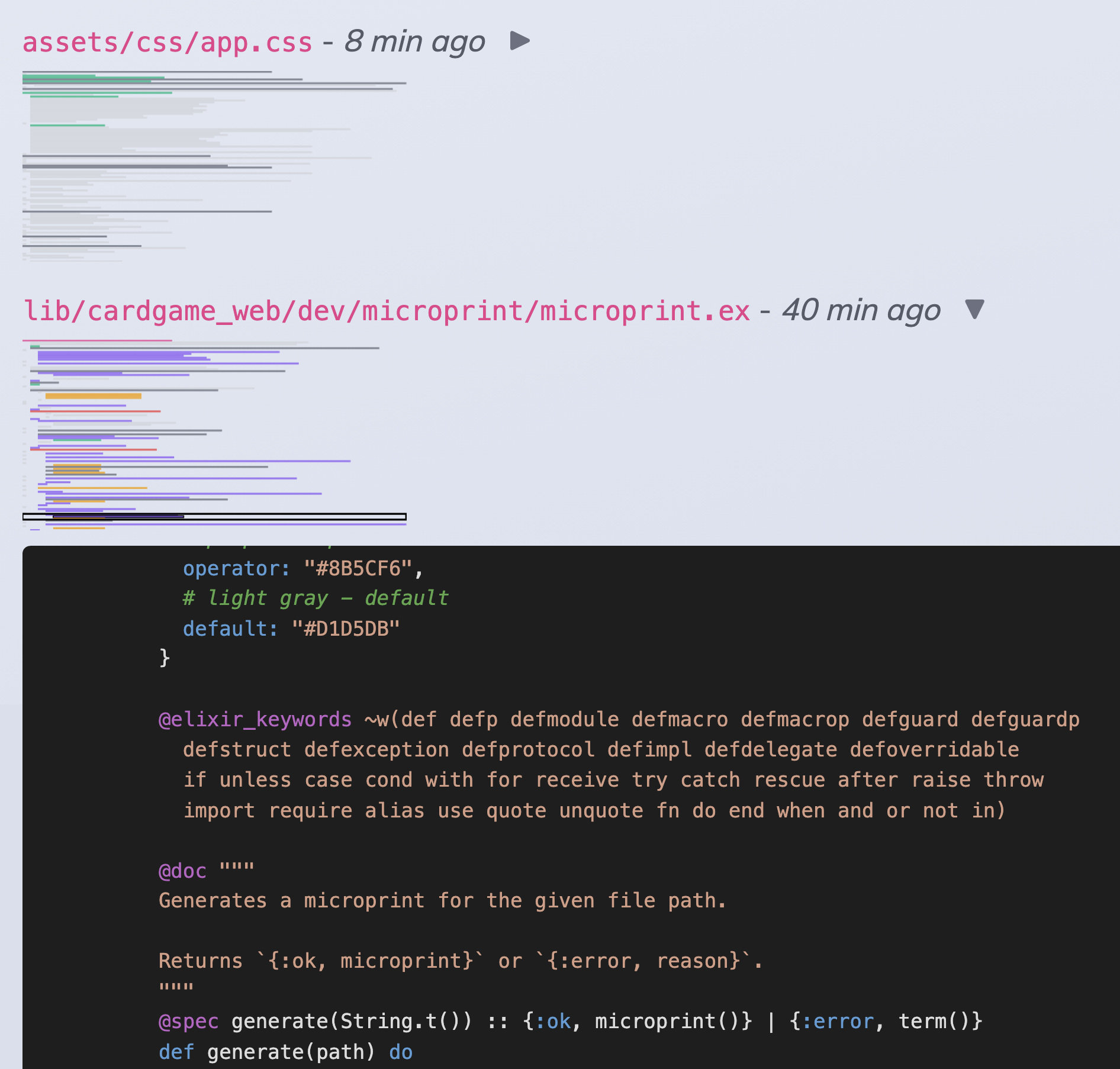
Stephan and I ain’t afraid of no legacy code. But we’d rather keep our code well factored. This makes it easier for us to reason about. We don’t believe you can review quality in, if you do it line-by-line. For things we develop beyond prototypes we invest heavily in static analysis, custom visualisations like these, and automated tests.
The forest and the trees
I already had the web frontends in our development environment set up in a Virtual Machine, accessible on my phone through a private network. This meant that, after some initial setup from a laptop, I could work with a coding agent on developing this tool.
Having build this, partially while out and about on my phone, I like that I can see the forest (the ten most recent files), and the trees (individual source files). Since this is in the browser, we can re-use libraries to do source code highlighting, and hook into the runtime under Phoenix LiveView to process source code, detect change files etc.
A nice touch I found to be able to select a part of the microprint, and have the source view scroll to the corresponding part. It also works the other way around - I can scroll in the source, and the highlight in the microprint moves with it. Forests are fractal, after all.
 RSS feed